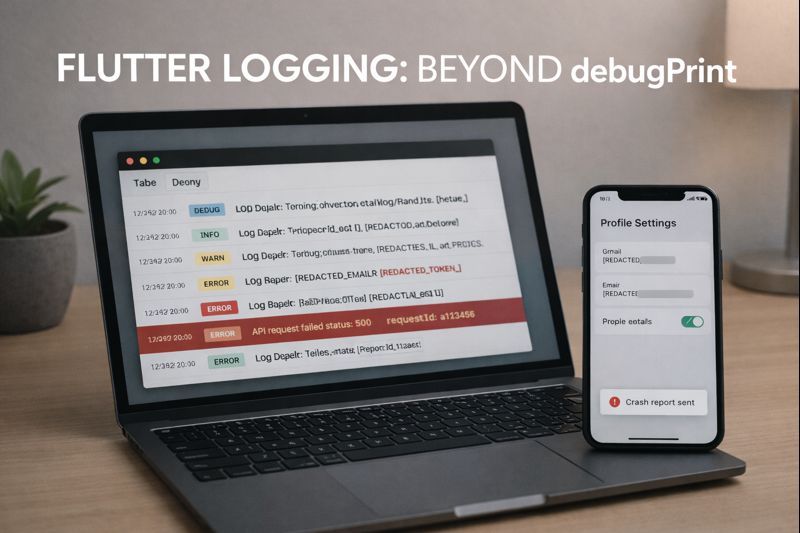
Flutter logging is easy to start (just call debugPrint()) and surprisingly hard to scale. In production, you need log levels, consistent formatting, privacy-safe data handling, and a way to connect logs to crashes and user sessions. This article shows a practical logging setup using a logger package, PII masking, and integration patterns for Sentry or Firebase Crashlytics—without turning your codebase into a mess.
Audience: IntermediateTested on: Flutter 3.x, Dart 3.x, Android 14 / iOS 17, macOS 14
- Why debugPrint doesn’t scale
- Recommended approach
- Install a logger package
- Define a logger interface (so you can swap implementations)
- Add PII masking (redaction) before logs leave your app
- Implement AppLogger using the logger package
- Control verbosity by environment
- Integrating with Sentry
- Integrating with Firebase Crashlytics
- What to log (and what not to log)
- Practical logging checklist
- Conclusion
Why debugPrint doesn’t scale
debugPrint() is fine for local debugging, but it breaks down quickly when:
- You need log levels (debug/info/warn/error).
- You want structured logs that can be searched and filtered.
- You need to avoid leaking PII (emails, tokens, card numbers).
- You want logs connected to crash reports (Sentry/Crashlytics).
The fix is to centralize logging behind an interface and make it configurable by environment (dev/stg/prod).
Recommended approach
- Create a small AppLogger interface your app uses everywhere.
- Implement it using a logger package (
loggeris a popular choice). - Add a PII scrubber that redacts sensitive values.
- Forward error logs to Sentry or Crashlytics.
- Control verbosity using flavors / dart-define (dev=debug, prod=warn+error).
Install a logger package
Use a dedicated package rather than printing raw strings.
# pubspec.yaml
dependencies:
  logger: ^latest
Then:
flutter pub get
Define a logger interface (so you can swap implementations)
// lib/logging/app_logger.dart
abstract class AppLogger {
  void debug(String message, {Map<String, Object?>? data});
  void info(String message, {Map<String, Object?>? data});
  void warn(String message, {Map<String, Object?>? data});
  void error(String message, Object error, StackTrace stackTrace,
      {Map<String, Object?>? data});
}
This avoids “logger package lock-in” across your whole codebase.
Add PII masking (redaction) before logs leave your app
Decide what your team treats as sensitive. Common PII/secrets include:
- Email addresses
- Access/refresh tokens
- Authorization headers
- Card numbers / personal IDs
Implement a simple redactor that sanitizes both messages and structured data maps.
// lib/logging/pii_redactor.dart
class PiiRedactor {
  static final _email = RegExp(r'[A-Z0-9._%+-]+@[A-Z0-9.-]+\.[A-Z]{2,}', caseSensitive: false);
  static final _bearer = RegExp(r'Bearer\s+[A-Za-z0-9._-]+', caseSensitive: false);

  String redactText(String input) {
    var s = input;
    s = s.replaceAll(_email, '[REDACTED_EMAIL]');
    s = s.replaceAll(_bearer, 'Bearer [REDACTED_TOKEN]');
    return s;
  }

  Map<String, Object?> redactMap(Map<String, Object?> data) {
    final out = <String, Object?>{};
    for (final entry in data.entries) {
      final key = entry.key.toLowerCase();
      final value = entry.value;

      if (key.contains('token') || key.contains('authorization') || key.contains('password')) {
        out[entry.key] = '[REDACTED]';
        continue;
      }

      if (value is String) {
        out[entry.key] = redactText(value);
      } else {
        out[entry.key] = value;
      }
    }
    return out;
  }
}
Implement AppLogger using the logger package
// lib/logging/logger_impl.dart
import 'package:logger/logger.dart';
import 'app_logger.dart';
import 'pii_redactor.dart';

enum AppLogLevel { debug, info, warn, error, off }

class LoggerImpl implements AppLogger {
  LoggerImpl({required AppLogLevel minLevel})
      : _minLevel = minLevel,
        _redactor = PiiRedactor(),
        _logger = Logger(
          printer: PrettyPrinter(
            methodCount: 0,
            errorMethodCount: 8,
            lineLength: 100,
            printEmojis: false,
          ),
        );

  final Logger _logger;
  final AppLogLevel _minLevel;
  final PiiRedactor _redactor;

  bool _enabled(AppLogLevel level) => level.index >= _minLevel.index;

  @override
  void debug(String message, {Map<String, Object?>? data}) {
    if (!_enabled(AppLogLevel.debug)) return;
    _logger.d(_format(message, data));
  }

  @override
  void info(String message, {Map<String, Object?>? data}) {
    if (!_enabled(AppLogLevel.info)) return;
    _logger.i(_format(message, data));
  }

  @override
  void warn(String message, {Map<String, Object?>? data}) {
    if (!_enabled(AppLogLevel.warn)) return;
    _logger.w(_format(message, data));
  }

  @override
  void error(String message, Object error, StackTrace stackTrace,
      {Map<String, Object?>? data}) {
    if (!_enabled(AppLogLevel.error)) return;
    _logger.e(_format(message, data), error: error, stackTrace: stackTrace);

    // Forward to crash tool here (see sections below).
    // _crashReporter.recordError(error, stackTrace, reason: message, data: data);
  }

  String _format(String message, Map<String, Object?>? data) {
    final safeMsg = _redactor.redactText(message);
    if (data == null || data.isEmpty) return safeMsg;
    final safeData = _redactor.redactMap(data);
    return '$safeMsg | data=$safeData';
  }
}
Control verbosity by environment
Use flavors / --dart-define to pick a minimum log level:
// lib/env/app_env.dart
class AppEnv {
  static const logLevel = String.fromEnvironment('LOG_LEVEL', defaultValue: 'info');
}

AppLogLevel parseLevel(String value) {
  switch (value.toLowerCase()) {
    case 'debug':
      return AppLogLevel.debug;
    case 'info':
      return AppLogLevel.info;
    case 'warn':
      return AppLogLevel.warn;
    case 'error':
      return AppLogLevel.error;
    case 'off':
      return AppLogLevel.off;
    default:
      return AppLogLevel.info;
  }
}
Example command:
flutter run --dart-define=LOG_LEVEL=debug
In production, you typically set warn or error only.
Integrating with Sentry
If you use Sentry, forward error logs to Sentry with extra context (but keep it redacted).
// Pseudocode pattern (keep your logger interface unchanged)
logger.error(
  'API request failed',
  error,
  stackTrace,
  data: {
    'endpoint': '/v1/profile',
    'status': 500,
    'requestId': requestId,
  },
);
At the forwarding layer, attach breadcrumbs for info/warn logs and send exceptions on error logs. Keep any token/header fields removed or redacted before sending.
Integrating with Firebase Crashlytics
Crashlytics is great for production crashes. A common pattern is:
- Send non-fatal errors using
recordError - Add custom keys (build flavor, env, userId hash)
- Use breadcrumbs (small logs) sparingly
The same forwarding hook in LoggerImpl.error() is the best place to do it.
What to log (and what not to log)
- Log: screen names, action names, request IDs, status codes, timing, retry counts.
- Don’t log: passwords, full tokens, raw authorization headers, full card/ID numbers, user content unless you have strong consent and redaction.
Prefer structured data maps over long unstructured strings. It makes searching and correlation much easier.
Practical logging checklist
- ✅ One
AppLoggerused everywhere - ✅ Log levels controlled by env
- ✅ Redaction before printing or sending
- ✅ Error logs forwarded to crash tool
- ✅ Correlation ID (requestId / traceId) included
- ✅ Minimal logs in production (warn/error)
Conclusion
Graduating from debugPrint is one of the easiest ways to make a Flutter app feel “production-grade.” With a small logging interface, redaction, and crash-report forwarding, you get searchable diagnostics without leaking sensitive data. Start small, centralize the code, and let environment config control how noisy your logs are.
Updated: 2025-11-12


Comment