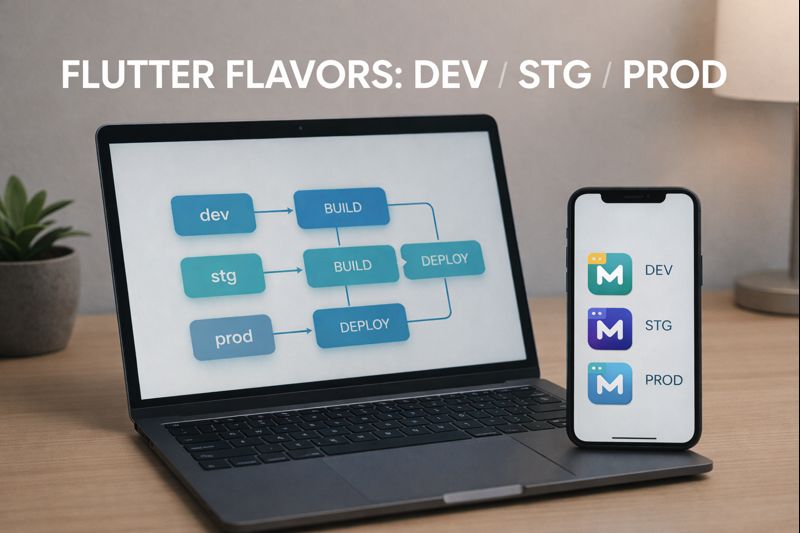
Flutter flavors let you run the same app in multiple environments—like dev, staging, and production—without risky manual edits. Done well, flavors make it trivial to switch API endpoints, app display names, and even icons, while keeping your CI pipeline predictable. This guide shows a practical, copy-friendly setup using --dart-define (and JSON), plus iOS/Android wiring and CI-friendly commands.
Audience: IntermediateTested on: Flutter 3.x, Dart 3.x, Android 14, iOS 17, Xcode 15, Gradle 8+
- What “flavors” mean in Flutter (practical definition)
- Recommended approach: use dart-define as the single source of truth
- Create environment config files (JSON)
- Read values in Dart
- Run commands: dev/stg/prod
- Android: productFlavors for applicationId and app name
- Android: build each flavor with the right dart-define file
- iOS: schemes/configurations and bundle identifiers
- Switching app icons per environment
- CI pipeline pattern: build artifacts for each environment
- Security & pitfalls
- FAQ
- Conclusion
What “flavors” mean in Flutter (practical definition)
In real projects, “flavors” usually include:
- Different API endpoints (dev/stg/prod)
- Different app names (e.g., “MyApp (Staging)”)
- Different bundle IDs / applicationId so builds can coexist on the same device
- Optional: Different app icons, analytics keys, logging verbosity
The key is to make these differences automatic and repeatable—especially in CI.
Recommended approach: use dart-define as the single source of truth
The cleanest approach is:
- Use Android productFlavors and iOS build configurations/schemes to set IDs/names/icons.
- Use
--dart-define(or--dart-define-from-file) to pass environment values into Dart. - Read these values via
const String.fromEnvironmentor a tiny config loader.
This keeps the “what environment am I running?” logic explicit and CI-friendly.
Create environment config files (JSON)
Put your environment files in a predictable folder, for example:
tool/env/dev.json
tool/env/stg.json
tool/env/prod.json
Example tool/env/dev.json:
{
  "ENV": "dev",
  "API_BASE_URL": "https://api-dev.example.com",
  "LOG_LEVEL": "debug",
  "SENTRY_DSN": ""
}
Example tool/env/prod.json:
{
  "ENV": "prod",
  "API_BASE_URL": "https://api.example.com",
  "LOG_LEVEL": "warn",
  "SENTRY_DSN": "YOUR_DSN_HERE"
}
Never put real secrets in these files if the repo is public. Treat them as “configuration,” not “credentials.”
Read values in Dart
Create a small configuration class that reads dart-define values:
// lib/env/app_env.dart
class AppEnv {
  static const env = String.fromEnvironment('ENV', defaultValue: 'dev');
  static const apiBaseUrl = String.fromEnvironment('API_BASE_URL', defaultValue: '');
  static const logLevel = String.fromEnvironment('LOG_LEVEL', defaultValue: 'info');
  static const sentryDsn = String.fromEnvironment('SENTRY_DSN', defaultValue: '');
}
Use it anywhere:
// Example usage
final baseUrl = AppEnv.apiBaseUrl;
This keeps environment switching purely controlled by build flags.
Run commands: dev/stg/prod
During development, run the app like this:
# Dev
flutter run --dart-define-from-file=tool/env/dev.json

# Staging
flutter run --dart-define-from-file=tool/env/stg.json

# Prod (rare for local runs)
flutter run --dart-define-from-file=tool/env/prod.json
Android: productFlavors for applicationId and app name
On Android, flavors are first-class. Create flavors in android/app/build.gradle:
android {
  defaultConfig {
    applicationId "com.example.myapp"
    // ...
  }

  flavorDimensions "env"

  productFlavors {
    dev {
      dimension "env"
      applicationIdSuffix ".dev"
      resValue "string", "app_name", "MyApp (Dev)"
    }
    stg {
      dimension "env"
      applicationIdSuffix ".stg"
      resValue "string", "app_name", "MyApp (Staging)"
    }
    prod {
      dimension "env"
      resValue "string", "app_name", "MyApp"
    }
  }
}
Make sure your AndroidManifest.xml references the string resource:
<application
  android:label="@string/app_name"
  ... >
Android: build each flavor with the right dart-define file
For example, for a staging APK:
flutter build apk --release \
  --flavor stg \
  --dart-define-from-file=tool/env/stg.json
For a production AAB:
flutter build appbundle --release \
  --flavor prod \
  --dart-define-from-file=tool/env/prod.json
iOS: schemes/configurations and bundle identifiers
iOS flavors are typically done with multiple schemes (Dev/Stg/Prod) that map to different build configurations and bundle IDs. A common setup:
- Create schemes: MyApp-Dev, MyApp-Stg, MyApp
- Set unique bundle IDs:
com.example.myapp.dev,com.example.myapp.stg,com.example.myapp - Optionally set display names via
Info.plistper configuration
Then pass the same dart-define JSON file into iOS builds. For example, when building iOS (CI or Xcode build steps):
flutter build ios --release \
  --dart-define-from-file=tool/env/stg.json
If you use Xcode schemes, you’ll typically choose the scheme in Xcode and still pass the dart-define file through your build process.
Switching app icons per environment
For icons, the easiest approach is to generate different icon sets per flavor. A common pattern is to keep separate source images:
assets/icon/dev.png
assets/icon/stg.png
assets/icon/prod.png
Then use a generator (like flutter_launcher_icons) with multiple configs. Many teams keep separate YAML files, such as:
tool/icons/dev.yaml
tool/icons/stg.yaml
tool/icons/prod.yaml
Example structure (conceptual):
# tool/icons/dev.yaml
flutter_launcher_icons:
  android: true
  ios: true
  image_path: "assets/icon/dev.png"
Then run:
dart run flutter_launcher_icons -f tool/icons/dev.yaml
This keeps icons deterministic and avoids manual changes right before release.
CI pipeline pattern: build artifacts for each environment
A practical CI approach is:
- On every merge to main: build stg APK for QA distribution
- On tag/release: build prod AAB for Play Console upload
Example commands you can use in CI:
# Staging APK for QA
flutter build apk --release \
  --flavor stg \
  --dart-define-from-file=tool/env/stg.json

# Production AAB for store
flutter build appbundle --release \
  --flavor prod \
  --dart-define-from-file=tool/env/prod.json \
  --obfuscate \
  --split-debug-info=out/symbols/${CI_BUILD_ID}
This is the “boring and reliable” pipeline style: same commands, same inputs, predictable outputs.
Security & pitfalls
- Don’t confuse config with secrets. API base URLs are fine in JSON; secrets are not. Put secrets in CI environment variables or your secure backend.
- Always change applicationId/bundle ID for non-prod. Otherwise you can’t install dev and prod side-by-side.
- Make the environment visible. Add a small “DEV/STG” badge somewhere or log it at startup so testers don’t file bugs against the wrong environment.
- Pin inputs. If CI builds staging, always use the staging JSON file—never rely on defaults.
FAQ
Q: Should I use compile-time flags or runtime config fetched from a server?
A: Use compile-time flags for “environment identity” (dev/stg/prod) and base URLs. Use runtime config for feature flags that can change without a rebuild.
Q: Can I avoid Android flavors and only use dart-define?
A: You can, but you’ll lose important benefits like different applicationId per environment. Using both gives you clean installs and clear separation.
Q: Do I need separate Firebase projects per flavor?
A: Often yes (at least dev/stg vs prod), so analytics and crash data don’t mix. That can be integrated using flavor-specific config files.
Conclusion
Well-designed Flutter flavors remove manual steps and reduce release risk. Use Android productFlavors and iOS schemes for IDs/names/icons, and use --dart-define-from-file for environment values like API endpoints. Once your CI builds staging and production with explicit inputs, environment switching becomes boring—and that’s exactly what you want.
Updated: 2025-11-12


Comment