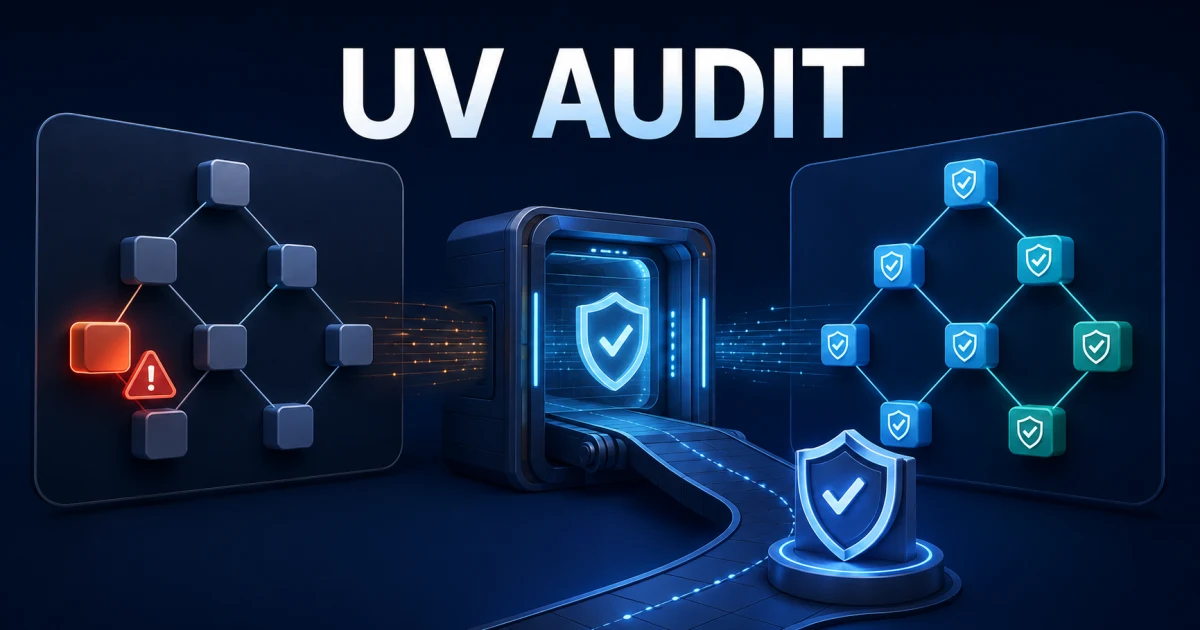
uv audit can check the packages in a uv-managed project against known vulnerability records before a release reaches production. In a tested uv 0.12.9 project, the command returned exit code 1 for a deliberately old PyJWT pin, then returned 0 after the dependency was updated and the lockfile was regenerated.
The command is still an experimental uv feature in September 2026. Pin the uv version used in CI, enable the named preview feature explicitly, and treat the report as one security signal—not as proof that an application is secure.
What uv audit Checks
An explicit audit evaluates the resolved packages represented by the project and reports two classes of findings:
- known vulnerabilities associated with package versions;
- adverse project statuses, such as a package that has been marked in a way that warrants attention.
This is different from uv's opt-in install-time malware check. uv audit is a deliberate command that fits a CI or release gate. The malware check runs while dependencies are being resolved or installed and can reject packages already identified in public malware reports. Neither mechanism performs source-code review, secret scanning, or runtime exploit testing.
The examples below use uv 0.12.9 on Windows x64 with CPython 3.12.14 as the audit target. The advisory database can change after publication, so exact finding counts are time-sensitive.
Build a Reproducible Test Project
The test project intentionally pins an old PyJWT release:
[project]
name = "uv-audit-demo"
version = "0.1.0"
requires-python = ">=3.12,<3.13"
dependencies = [
  "pyjwt==2.3.0",
]
Create the lockfile without allowing unrelated user or system configuration to affect the result:
uv --no-config lockThe test resolved two packages: the project itself and PyJWT. A real application will usually contain a much larger transitive graph, which is precisely why auditing the lockfile is more dependable than checking only the dependency names written in pyproject.toml.
Run the Audit as a CI Gate
Use --locked so the check fails rather than silently changing uv.lock. The explicit Python version and platform make the target clear when dependency markers differ across environments:
uv --no-config audit --locked --python-version 3.12 --python-platform windows --preview-features audit-commandOn September 7, 2026, uv 0.12.9 exited with code 1 and reported 11 vulnerability records for PyJWT 2.3.0, with no adverse project statuses. Some records represented aliases or overlapping advisories, so the number should not be interpreted as 11 independent root causes.
The important CI contract is simpler:
- exit code
0: no known vulnerability or adverse-status finding was reported; - exit code
1: the audit found at least one issue that needs a policy decision; - another nonzero result: the command itself failed, so the pipeline should surface the error rather than label the project vulnerable.
Keep uv.lock committed and run the audit after the normal locked-resolution check. This prevents a passing result from being produced against a dependency graph different from the one intended for deployment.
Produce Machine-Readable JSON
For a report that another CI step can archive or parse, request JSON explicitly:
uv --no-config audit --locked --python-version 3.12 --python-platform windows --preview-features audit-command,json-output --output-format jsonThe tested command returned exit code 1 and a summary containing one audited package, 11 vulnerability records, and zero adverse statuses. uv currently marks the JSON schema itself as a preview feature, so consumers should pin uv and tolerate additive schema changes instead of assuming a permanent structure.
Avoid publishing the full report automatically if project names, private indexes, or internal dependency details could be sensitive. A short CI summary plus a protected build artifact is usually safer.
Remediate the Finding, Then Re-Audit
An audit is most useful when it leads to a reviewable dependency change. For this test, the project constraint was changed from pyjwt==2.3.0 to pyjwt==2.13.0, then the lockfile was regenerated:
uv --no-config lock
uv --no-config audit --locked --python-version 3.12 --python-platform windows --preview-features audit-command
uv reported the lockfile update and the second audit exited with code 0:
Found no known vulnerabilities and no adverse project statuses in 1 packageDo not turn this into a blanket "always install the newest version" rule. Review the upstream release notes, test the application, preserve intentional version boundaries, and then commit both the manifest and lockfile changes together.
If an advisory has no fix or does not affect the way your application uses a package, uv provides ignore controls such as --ignore and --ignore-until-fixed. An exception should name the exact advisory, explain the risk decision, have an owner and review date, and remain narrow enough that a new finding still fails the build.
Add the Check to CI Without Hiding Drift
A small security job can use the same order on every runner:
uv --version
uv lock --check
uv audit --locked --preview-features audit-command
Pinning the uv release in the runner or tool bootstrap makes changes to preview behavior intentional. For projects with platform-specific dependencies, audit the platforms you actually ship rather than assuming one runner represents every production target.
The audit depends on public advisory data. A clean result means that no matching known record was returned at that moment; it does not cover unpublished vulnerabilities, malicious behavior that has not been reported, application-level authorization bugs, or compromised deployment credentials.
Understand uv's Separate Malware Check
uv 0.12 introduced an opt-in malware check during dependency operations. It can be enabled for a job with the UV_MALWARE_CHECK environment variable:
UV_MALWARE_CHECK=1 uv sync --lockedIn PowerShell, the equivalent is:
$env:UV_MALWARE_CHECK = '1'
uv sync --locked
This check is useful as a second gate because it can stop a publicly reported malicious package before installation. It is also a preview capability, relies on reports being available, and may not catch a newly published malicious release immediately. Package cooldown policies and careful lockfile review remain valuable defenses.
The malware path was not executed for this article: no malicious package was downloaded or installed. The documented behavior and configuration were verified against Astral's official announcement and CLI documentation.
A Practical Adoption Checklist
- Pin a tested uv release in CI.
- Commit and validate
uv.lockbefore auditing it. - Run
uv audit --lockedwith the explicit audit preview feature. - Treat exit code 1 as a finding, not as a broken command.
- Upgrade or constrain the affected package, test the application, and re-audit.
- Document narrowly scoped exceptions and revisit them.
- Consider install-time malware checks and package cooldowns as additional layers.
- Keep normal code review, secret scanning, tests, and runtime controls in place.
uv audit makes dependency security fit naturally into the same fast, lockfile-centered workflow that Python teams already use with uv. Its strongest use is not producing a one-time report, but creating a repeatable gate whose inputs, target environment, exceptions, and remediation commits are all visible.



Comment